



If you’re like us, you carry your laptop around most of the time. Luckily, our bags do all the carrying for you and protect them at the same time with drop-tested, padded compartments.
You might feel a bit of confusion when trying to choose a laptop bag or sleeve. You don’t want the hassle of ordering the wrong size or having to face an uncomfortably tight fit for your device. We get that – so say hello to our device-measuring cheat sheet. Grab a ruler or tape measure and let’s get hands-on.
Most KNOMO bag device compartments and laptop cases have been designed to fit standard sizes of devices: 10.5", 12", 13", 14", 15" and 15.6"
Find a bag for your device size
Know your screen size? Choose it below to browse the collection, or see our product picks by size. Still measuring? Follow the guide below first.
8-inch devices · 10.5-inch devices · 13-inch laptops · 14-inch laptops · 15-inch laptops · 15.6-inch laptops
Screen size is a starting point, not a fit guarantee. Compare your closed device’s width, height and depth, including any protective cover, with the product’s device-compartment measurements before ordering. For a 12-inch device, check the 10.5-inch collection for bags marked up to 12 inches.
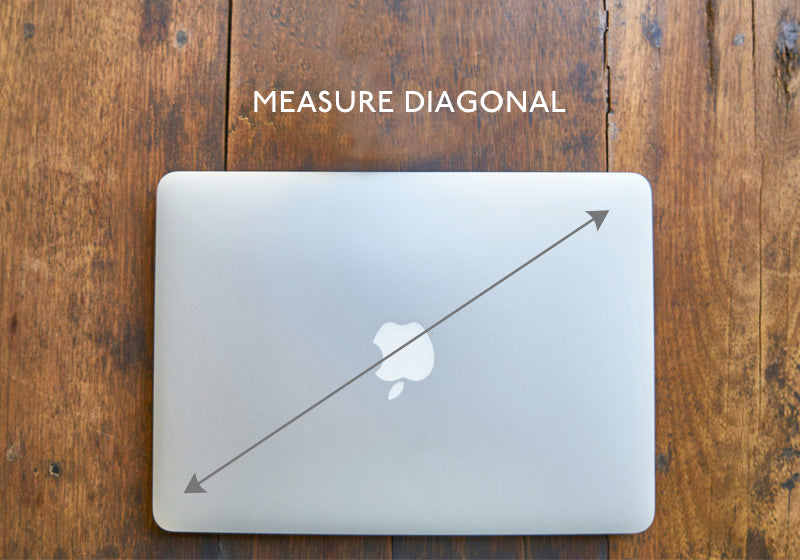
Measure diagonal
Fun fact: the inch-size of your laptop describes the screen’s edge to edge diagonal measurement. This size does not include the ‘bezel’ (the casing that surrounds the screen itself) which can often add an additional inch onto the size.
So, you need to measure your laptop diagonally from edge to edge. Then you know your laptop’s true inch size, which will help you choose your KNOMO bag or sleeve.
Measure the height
Firstly, close your laptop for better accuracy. Place the measuring tape along the top and bottom of your laptop lid (running parallel to the shortest sides). This is the height of your laptop, add a few cm or an inch or 2 to make sure your device won’t be sticking out of a bag or sleeve.
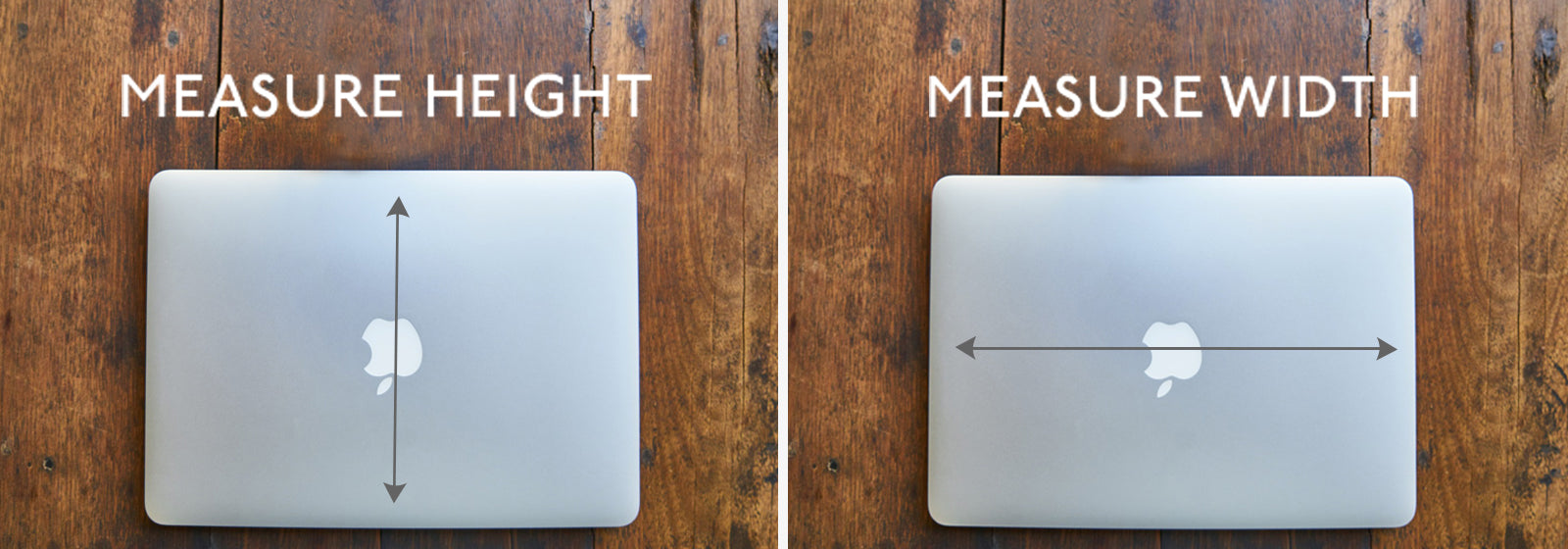
Measure the width
Place the tape measure across the laptop, left to right (parallel with the longest sides). This is the width of the laptop, make sure your sleeve isn’t too much wider or your laptop will not be protected as well if it is sliding around in its case.
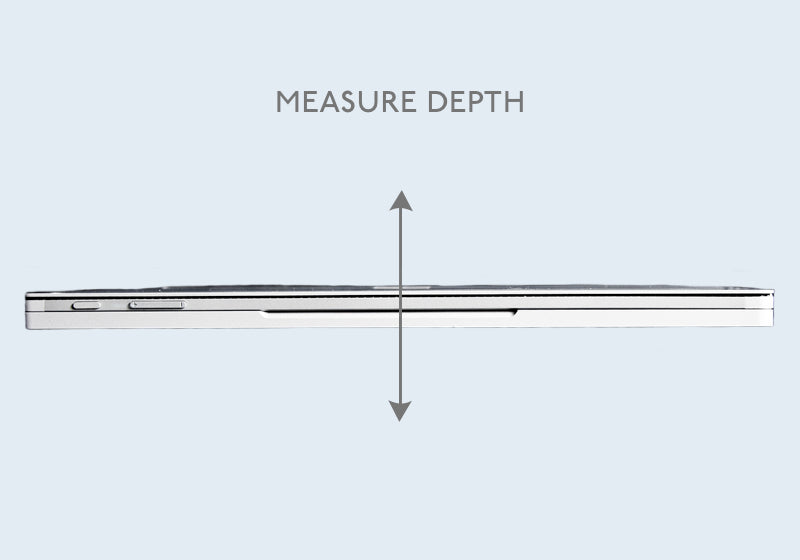
Measure the depth
Put the end of your measuring tape on the table or a flat surface. Measure upwards vertically to record the depth of your laptop (think – you are measuring how high it rises above the table surface).
This is particularly important if you are still lovingly clinging on to a clunky older model that is not as slim as its younger peers. You need a bag or sleeve with a depth of at least half an inch more than your laptop depth.
Check the bag compartment size
It is a good idea to check the device compartment size in the product description on our product pages. You will want it to be a bit bigger than your device, not the exact same measurement or it will be a tight squeeze, not your main squeeze (once you go KNOMO you never go back).
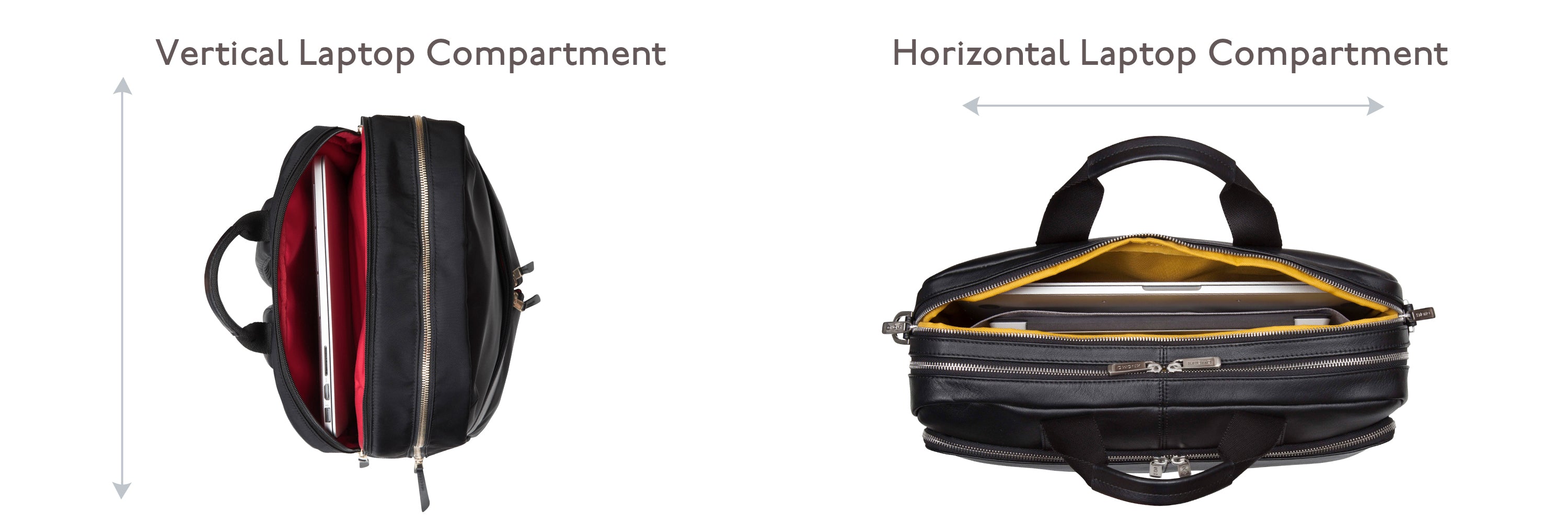
Bear in mind that different bags will have device compartments in different orientations. Backpack compartments are usually vertical (North to South), and tote bags, briefcases and messengers are usually horizontal (East to West).
Measured up? Choose your bag
These picks were in stock when checked on 17 November 2026. Follow the product link for the latest price, availability and compartment details. Check your device’s full measurements before choosing.
8-inch and 10.5-inch devices: Knomad Tech Organiser

For compact tech: a device compartment rated up to 10.5 inches, organised pockets and a removable cross-body strap. Black with silver hardware.
View Knomad and check fit · Shop 8-inch devices · Shop 10.5-inch devices
12-inch devices: Mini Beaufort Backpack
A compact double-compartment backpack in navy, rated for devices up to 12 inches. Device compartment: 30.41 × 21.50 × 1.13 cm. Compare all three measurements carefully, especially device thickness.
View Mini Beaufort and check fit · Browse the existing small-device collection
13-inch laptops: Mini Chiltern Tote Backpack

A padded compartment for laptops up to 13 inches, with stowable shoulder straps to switch between tote and backpack. Black with silver hardware.
14-inch laptops: Hanover Leather Briefcase

A full-grain leather briefcase with a padded compartment for laptops up to 14 inches, a removable shoulder strap and a trolley sleeve. Dark Navy Blazer with silver hardware.
15-inch laptops: Grosvenor Place Tote

A padded compartment for laptops up to 15 inches, water-resistant nylon and a trolley sleeve for travel. Black with silver hardware.
View Grosvenor Place and check fit · Shop 15-inch laptop bags
15.6-inch laptops: Beaufort Large Backpack

A spacious dual-compartment backpack, listed with a 16-inch device size and included in our 15.6-inch collection. Black with silver hardware. Check the compartment dimensions against your laptop before ordering.
SHOP BY 15.6" SHOP BY 15" SHOP BY 14" SHOP BY 13" SHOP BY 10.5" SHOP BY 8"


Laptop Sleeves
Laptop sleeves are great for protecting your laptop at home, in the office or as an extra safety precaution within your bag. It’s important that your sleeve is a close fit around your laptop to hold the device in place and maximize protection. Make sure you follow the same advice on measuring your laptop as above to purchase the correct size.
Vegan Laptop Sleeves
If you want a more robust and stylish sleeve, the Holborn collection offers a premium twill fabric and vegan PU with a faux fur lining to cushion your laptop.

To see the latest Official Knomo discount codes click here.